> ## Documentation Index
> Fetch the complete documentation index at: https://docs.pelanor.io/llms.txt
> Use this file to discover all available pages before exploring further.
# Budgets
> Learn how to manage and define budgets for specific subsets of your cloud within Pelanor.
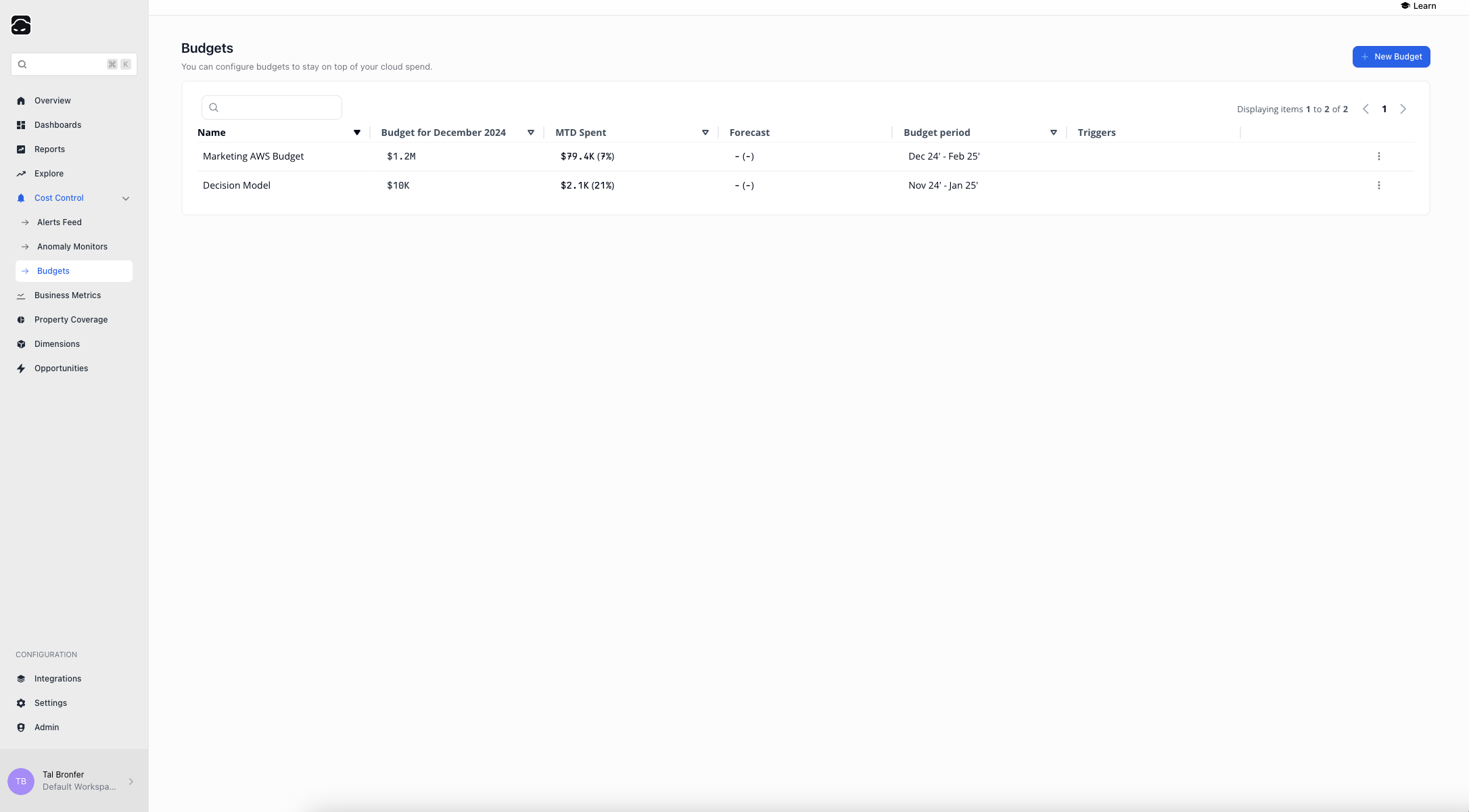 ## Budgets Lobby
The **Budgets Lobby** gives you an overview of every budget configuration.
### Key Features
* View all configured budgets
* Search and filter budgets
* See key details for each budget:
* **Name**
* **Budget amount**
* **MTD spent**
* **Forecast**
* **Budget period**
* **Configured triggers**
### Budget Configuration Actions
* **Edit** – modify an existing budget
* **Duplicate** – copy a budget
* **Delete** – remove a budget
* **Share** – share budget details with teammates
You can also create new budgets directly from the Budgets Lobby.
***
## Budget Configuration
## Budgets Lobby
The **Budgets Lobby** gives you an overview of every budget configuration.
### Key Features
* View all configured budgets
* Search and filter budgets
* See key details for each budget:
* **Name**
* **Budget amount**
* **MTD spent**
* **Forecast**
* **Budget period**
* **Configured triggers**
### Budget Configuration Actions
* **Edit** – modify an existing budget
* **Duplicate** – copy a budget
* **Delete** – remove a budget
* **Share** – share budget details with teammates
You can also create new budgets directly from the Budgets Lobby.
***
## Budget Configuration
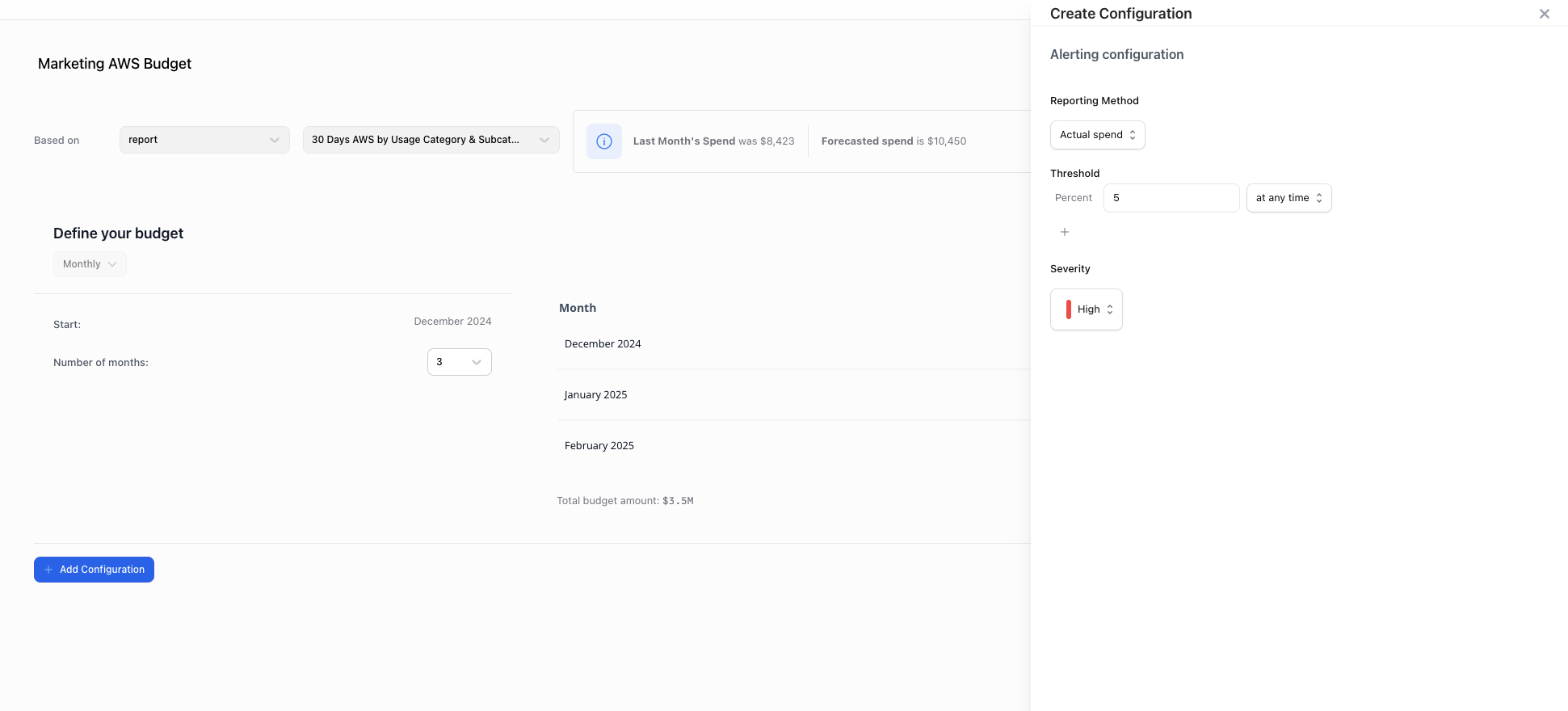 Pick the report or group the budget will track.
Set the period (start date and duration) and enter amounts manually, or upload a CSV for bulk entry.
Set alert thresholds and severity levels.
Choose delivery via email, Slack, or Microsoft Teams. Set the alert schedule, time, and time-zone.
Double-check notification settings so you receive budget alerts on time.
Pick the report or group the budget will track.
Set the period (start date and duration) and enter amounts manually, or upload a CSV for bulk entry.
Set alert thresholds and severity levels.
Choose delivery via email, Slack, or Microsoft Teams. Set the alert schedule, time, and time-zone.
Double-check notification settings so you receive budget alerts on time.