> ## Documentation Index
> Fetch the complete documentation index at: https://docs.pelanor.io/llms.txt
> Use this file to discover all available pages before exploring further.
# Installing Pelanor
> Learn how to get started with connecting Pelanor to your cloud and service accounts.
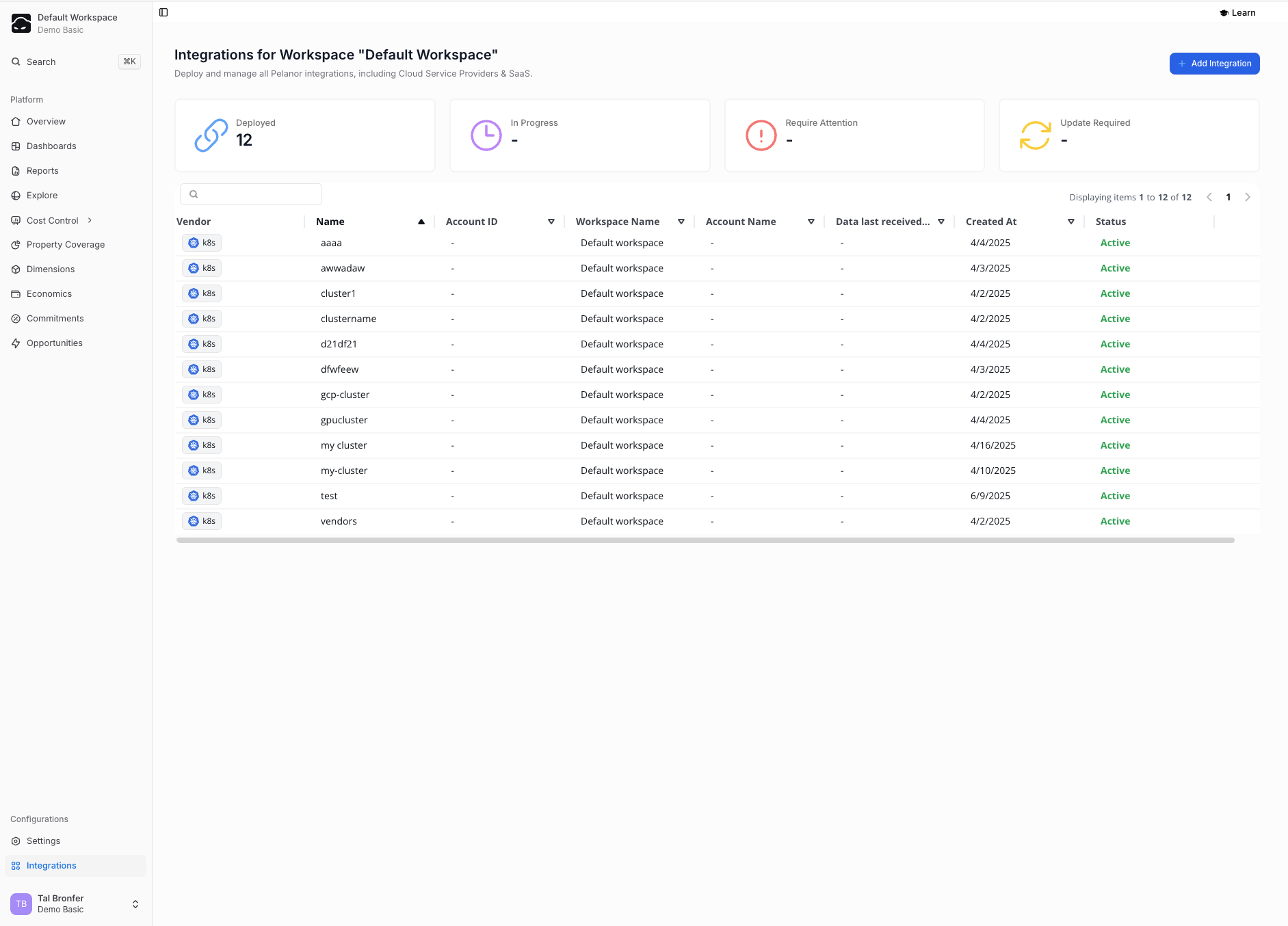 ## Creating & Managing Integrations
Your **Integrations Hub**, available in the left-hand menu, lists every connection along with:
* **User-defined name**
* **Account ID**
* **Creation date**
From the hub you can:
* **New Integration** – add a fresh connection through a guided flow
* **Delete** – permanently remove an existing integration
***
## Stage 1 · Cloud-Billing (Platform) Integrations
Connecting your core billing source is the recommended first step.
| Category | Providers |
| ---------------- | -------------------------- |
| **Hyperscalers** | AWS · Azure · Google Cloud |
| **PaaS** | Snowflake · Databricks |
Pelanor normalizes every billing source to the FOCUS FinOps data model for a consistent multi-cloud schema.
***
## Stage 2 · Install the Kubernetes Agent
Pelanor’s lightweight eBPF agent runs at the operating-system layer and attributes spend to any Kubernetes control plane—managed (
## Creating & Managing Integrations
Your **Integrations Hub**, available in the left-hand menu, lists every connection along with:
* **User-defined name**
* **Account ID**
* **Creation date**
From the hub you can:
* **New Integration** – add a fresh connection through a guided flow
* **Delete** – permanently remove an existing integration
***
## Stage 1 · Cloud-Billing (Platform) Integrations
Connecting your core billing source is the recommended first step.
| Category | Providers |
| ---------------- | -------------------------- |
| **Hyperscalers** | AWS · Azure · Google Cloud |
| **PaaS** | Snowflake · Databricks |
Pelanor normalizes every billing source to the FOCUS FinOps data model for a consistent multi-cloud schema.
***
## Stage 2 · Install the Kubernetes Agent
Pelanor’s lightweight eBPF agent runs at the operating-system layer and attributes spend to any Kubernetes control plane—managed (EKS, AKS, GKE) or self-managed.
For installation instructions, see the Kubernetes Integration guide.
***
## Stage 3 · Service Integrations
Enable service-specific integrations to push visibility beyond account or cluster level.
Examples:
| Integration | What You’ll See |
| -------------- | ---------------------------------------------------- |
| **AWS S3** | Cost per bucket path, file extension, logical folder |
| **CloudFront** | Cost by object path, URI segment, object ID |
| **Redshift** | Cost per query, table, or schema |
***
## Stage 4 · Custom Integrations
### Custom Invoices
Import any FOCUS-compliant CSV—suitable for ad-hoc or third-party charges—via the **Custom Invoices API**.\
Read the full guide here.
### Custom Metrics
Send business KPIs or performance metrics (e.g., Daily Active Users, API latency, GPU utilization) to:
* Combine cost and performance in one report
* Calculate unit economics such as **Cost per API Call**
See the Custom Metrics guide for details.
### API Integrations
Use Pelanor’s REST API to automate workflows such as:
* Creating **Dimensions** and **Segments** from a CRM or BI tool
* Exporting data programmatically
* Spinning up workspaces and onboarding users